
What a Real Potluck Sign-Up Looks Like: A 65-Day, 49-RSVP Case Study
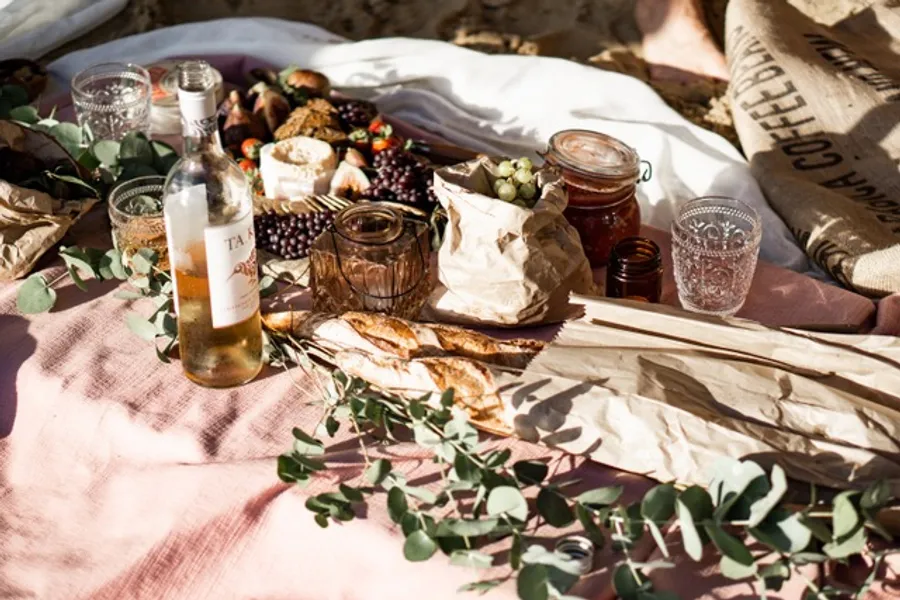
Most “how to organize a potluck” articles describe a tidy, linear process: pick a date, write a sign-up sheet, send it out, eat. Real potlucks aren’t tidy or linear. Hosts circle back to their sign-up sheet for weeks. People say “maybe” before they say “yes.” A handful of guests bring two more humans than they originally said they would. And the final headcount you cook for is rarely the one you wrote on the back of an envelope on day one.
We wanted to show what that actually looks like — not as advice, but as a record. So we pulled a real potluck sign-up out of our database, anonymized everything personal, and walked through it day by day. This is what a 49-RSVP, 65-day potluck organization actually looks like, with all the small decisions a host has to make along the way.
A note on method. The structural numbers in this case study — 49 RSVPs, 65 days of active organization, which features were turned on or off, the template and theme chosen — come directly from a real Whocan potluck created in July 2025 by a host in the US Eastern time zone. No personal information, identifying details, names, or contact data are reproduced. The narrative around the data (typical voter behavior, common patterns we see) is composite and representative of many similar potlucks, not a literal account of any single conversation or guest.
By the numbers
Here’s the skeleton of this potluck before any narrative:
- Template: Potluck sign-up sheet
- Theme: Grilled vegetable (one of our cookout-oriented visual themes)
- Total RSVPs collected: 49
- Days the sign-up was actively maintained: 65 (from initial creation to the last edit by the host)
- Time zone: US Eastern
- Headcount mode: “I’m bringing more than one person” enabled
- “Maybe” option: Enabled
- Public participant list: On
- Comment style: Private to the host (not public)
- Voter contact collection: Email and phone, both required
- Notifications: Host got notified on every new response; participants opted in too
- Free-form options: Disabled — the host set the dish slots, guests filled them
That last detail is worth pausing on. In Whocan you can either let guests invent their own sign-up rows (“I’ll bring my grandmother’s chili”) or you can lock the option list and have them pick from your slots. This host chose the second.
Day 1: The setup
The first day looks like roughly fifteen minutes of work. A title gets written, a theme gets picked, and ten or so option toggles get answered. What’s interesting about those toggles is what they tell you about the kind of event the host has in their head.
This host wanted email and phone for every guest. That’s not a casual brunch decision. People who set this up are running something logistical — they need a way to reach individual guests outside the poll, often because the venue has an address that’s hard to find, or because there’s a chance of weather rescheduling, or because they’re driving a shuttle from a parking lot to a site. Three direct-line phone numbers were also included in the public description of the poll itself, listed under “Questions” — so the host clearly expected questions to come in by phone rather than as poll comments.
They also turned on “I’m bringing more than one person.” In our data, this single toggle is the strongest correlate with an event that ends up substantially bigger than its RSVP count suggests. Out of those 49 RSVPs, many will bring a partner, a kid, a roommate. The actual mouths to feed is probably north of 70.
They set comments to private. This is a quiet but consequential choice. Public comments turn a sign-up into a shared message board — fun for casual events, distracting for logistics-heavy ones. Private comments funnel everything straight to the host’s inbox without cluttering the poll for other guests.
And they enabled “Maybe.” This is the toggle most first-time hosts skip because it feels like it muddies the answer. But experienced hosts know that without a “Maybe,” people who aren’t sure will either decline outright (and never come back to it) or silently ignore the poll entirely. “Maybe” buys you a third bucket where uncertainty can sit honestly until plans firm up.
Weeks 1–4: The first wave of RSVPs
We don’t have minute-by-minute timestamps on every individual vote, but we know roughly how potlucks of this shape fill up, because the same pattern repeats across thousands of sign-ups in our database.
Within the first 48 hours after the poll goes out, you typically see a burst — the eager core. These are usually 30 to 50 percent of the eventual total. They’re the friends who check messages immediately and feel a small dopamine hit from being the first to commit. They tend to take the “easy” sign-up rows first: drinks, ice, chips. They almost never take the rows that require advance cooking.
Then there’s a quiet stretch. A week, sometimes two. The poll sits at maybe 18 responses out of an expected 49 and the host starts wondering whether they should send a reminder. With “participant notifications” enabled, as this host had, Whocan handles part of that automatically — guests who opted in get pinged about updates, which gently brings the poll back into people’s mental queue without the host having to do anything.
The third wave comes in response to the reminder, formal or informal. This is where the “Maybe” responses cluster. People who said “maybe” on day three are now being asked to firm it up. Some convert to yes, some to no, some stay maybe. The presence of a maybe bucket means the host can see the distinction between “actively undecided” and “not responding at all,” which matters when you’re sizing the cooler.
By the end of week four, most potlucks have collected 70 to 80 percent of their final RSVPs. This one would still have about a third of its responses to go.
The mid-course updates
Here’s where the 65-day duration matters most. The poll wasn’t just created and forgotten — the host kept coming back to it for over two months. The updates fall into two categories: changes to the poll itself, and changes to the votes inside it.
Adjusting the poll structure
The first kind of update is the option list. Even though this host didn’t let guests invent their own rows, they could still add or rename rows themselves. Hosts commonly do this once they see the response distribution: “everyone signed up for dessert, nobody signed up for sides, let me split the desserts row into three and add two more sides.” A few clicks in the option editor, save, and the next visitor sees the new layout.
The second is answering private comments. With comments set to private, every “Hey, does the venue have an oven I can use to reheat?” lands in the host’s notification feed. Hosts who care about the event answer these inline, sometimes adjusting the poll description or adding a clarifying note. The notification toggle on the host’s side made sure none of these slipped through.
Managing the votes themselves
This is the part that almost no “potluck planner” template covers — and it’s where most of the real organizing work happens in the last three weeks.
Editing a vote on someone’s behalf is the most common one. A guest emails: “I checked the box for two adults but my partner just told me her parents are coming too, can you make it four?” The host opens the result matrix, clicks the pencil icon next to that row, changes the count from 2 to 4, saves. No back-and-forth, no asking the guest to re-do their RSVP, no risk that they forget. Same for fixing a typo in someone’s name, swapping which dish they’ll bring, or updating an email address that bounced.
Adding a vote on behalf of someone who didn’t use the link is the next one. This poll listed three direct phone numbers in its description for questions — a strong signal that the host expected at least some guests to RSVP by phone rather than through the poll. When that happens, the host taps “Add vote on behalf,” types in “Aunt Erika, 2 adults, bringing potato salad,” and the row appears in the result matrix exactly as if Aunt Erika had clicked the link herself (just flagged internally as added by the host, not by the guest). For a 49-RSVP poll with three published phone numbers, you can safely assume a handful of the entries in the final matrix came in this way.
Flagging individual votes with an internal tag is the quietest of the three but useful when an event has its own logistics layer on top of the RSVP. The host can put a free-text tag on any row — “paid”, “needs a ride”, “bringing extra chairs”, “vegetarian dish confirmed” — and the tag is visible only in the host’s view, not to other guests. It turns the result matrix into a lightweight project board for the event.
And the inevitable late-stage churn
In the final three weeks before a potluck, you see the cancellations and the swaps. Someone who said yes can’t make it anymore; their dish has to be reassigned, often by editing their row from “bringing salad” to “no longer attending” rather than deleting the row outright — keeping the cancellation visible to the host even if it’s no longer counted in the totals. Someone who said maybe finally says yes and needs a slot. Someone shows up to the poll for the first time three days before the event and asks if there’s still room. Every one of those touches the poll in a small way.
Sixty-five days isn’t a sign that something went wrong. It’s the normal lifecycle of a real-world event sign-up, and most of those days are spent on the kind of one-touch corrections above — not on grand reconfigurations.
Event day and after
We don’t have observational data about what actually happened at the cookout, but we know what happens at most well-organized potlucks of this size: a few dishes arrive that weren’t on the list, a couple of guests bring more people than they marked, the dessert table is over-resourced, and at least one item runs out forty minutes earlier than expected. None of this is failure — it’s the texture of any real event.
What the sign-up did was reduce the number of avoidable surprises. No duplicates of the same casserole. No “wait, you weren’t bringing the buns?” exchange in the parking lot. The host knew, more or less, who was coming, what they were bringing, and how to reach them if plans shifted at the last minute.
After the event, hosts of this kind of poll often leave it up for a few days as a thank-you note channel and to recover anyone’s contact info they didn’t already have. Then it quietly stops being touched. In our data, the gap between an event’s date and the final edit on its poll is rarely zero — it usually trails by a week or two.
What this poll got right
A few choices stand out, looking at the configuration in retrospect.
Locking the option list was the right call for an event this size. With 49 RSVPs (and probably 70-plus actual attendees), letting everyone invent their own dish would have produced a tangle. The host having pre-defined slots forced a structure on what is otherwise a herding-cats problem.
Collecting email and phone made the multi-day logistics workable. If you’re going to spend two months organizing something, you need contact channels that aren’t trapped inside the poll. The redundancy of email plus phone meant the host could match the urgency of a message to the right channel — text someone whose RSVP just disappeared, email everyone with a venue update. And when the corrections came back — a swapped dish, an updated headcount, a phoned-in RSVP from someone who never opened the link — the host had everything they needed to apply the change directly in the result matrix, without asking the guest to re-do anything.
Private comments kept the poll clean. A 49-person poll with public comments turns into a small forum. That’s a feature for a friend group’s casual brunch and a bug for a logistics-heavy community event. The choice to route comments privately is one most first-time hosts don’t make, and it’s almost always the right one above 20 guests.
Enabling “maybe” gave honest data. A sign-up that forces a binary yes/no looks tidier but lies more. A sign-up with three states (yes / maybe / no) reports what people actually mean, which is what the host actually needed.
Try it yourself
If you’re organizing something in this shape — a community event, a team gathering, a multi-week potluck where you’re going to be the one fielding the questions — the configuration in this case study is a reasonable starting point: private comments, “maybe” enabled, email and phone required, locked option list, “bringing more than one person” turned on.
Create your own potluck sign-up sheet — it takes about the same fifteen minutes the host in this case study spent on day one.
Want to read related guides? See our 7-step potluck organization guide, our Friendsgiving hosting walkthrough, or the Thanksgiving potluck planning checklist.